Lost Mary Nera Fullview Display and Dual Mode Guide
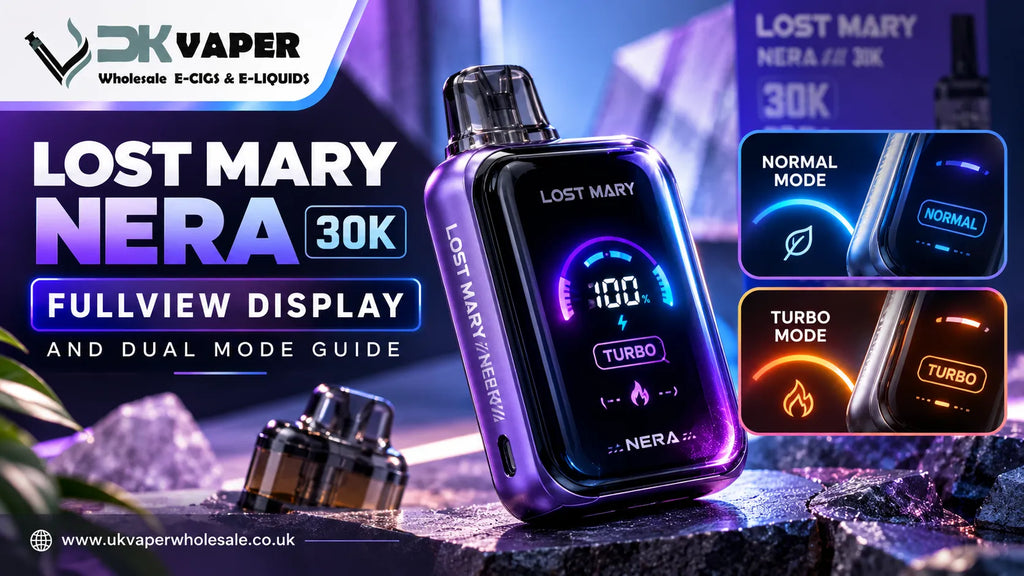
This Lost Mary Nera Fullview Display and Dual Mode Guide covers everything about the curved LED screen, the two power settings, and the two-flavour pod system. The screen shows your exact battery percentage and active power mode. Normal Mode gives longer battery life. Turbo Mode gives a stronger hit. Only one pod sits in the device at a time. You swap between the two flavours when you want a change. For the full picture of how the 15K pods and 30K device fit together as one system, our Nera ecosystem guide covers that separately.
Lost Mary Nera Fullview Display and Dual Mode: What the Screen Actually Shows
The curved LED screen on the front of the device is not just for looks. It gives you real information you can use every day.
Screen Feature |
What It Shows |
Battery percentage |
Exact number, not just a bar |
Active power mode |
Normal or Turbo |
Draw response |
Lights up when you inhale |
Glass e-liquid window |
Liquid level inside the pod |
The battery percentage is the most useful number. It tells you exactly how much power is left. The power mode indicator shows whether you are in Normal or Turbo. When you inhale, the screen lights up so you know the device is responding. The glass window on the pod itself shows how much e-liquid remains. You do not need to remove the pod to check.
The Lost Mary Nera 30K pod kit is one of the few big-puff prefilled pod kits that gives you this much visibility. Most competing devices hide the liquid level or use a simple dot for battery. The Fullview name comes from combining the curved display with the glass window. Together they remove the guesswork.
Normal Mode vs Turbo Mode: What Is the Real Difference?
The two modes are genuinely different. They are not just marketing labels.
Feature |
Normal Mode |
Turbo Mode |
Wattage |
Lower |
Higher |
Battery life |
Longer |
Shorter |
Pod life |
Longer |
Shorter |
Vapour density |
Standard |
Richer |
Throat hit |
Smooth |
Stronger |
Best for |
All-day use |
Intense sessions |
Normal Mode is what most people use daily. It stretches the 800mAh battery and the pod liquid further. Turbo Mode is for when you want more. The hit is stronger and the vapour is thicker. The trade-off is faster battery drain and quicker liquid use.
The advertised 30,000 puffs reflect Normal Mode usage. If you use Turbo Mode all day, you will get fewer puffs per pod. This is not a fault. It is simply how higher power works. The Lost Mary Nera Fullview Display and Dual Mode system lets you choose based on what you need at that moment.
How to Switch Between Normal and Turbo Mode
Changing the mode is simple. You do it through the screen itself. There are no extra buttons on the device.
Step |
Action |
1 |
Tap or interact with the curved screen interface |
2 |
Select the mode you want |
3 |
The screen confirms your choice |
4 |
Inhale to check the difference |
The screen keeps the device clean. You do not need to press small buttons or guess which setting is active. The display shows the mode clearly. If you forget which one you selected, just look at the screen before you inhale.
This Lost Mary Nera Fullview Display and Dual Mode setup is easy to learn. Most users get the hang of it within the first day. If you are new to the device, start in Normal Mode. Try Turbo later when you want to feel the difference.
How the Two-Flavour System Works in the Lost Mary Nera 30K
This is the part that confuses some people. The kit includes two pods, but only one goes in the device at a time.
Question |
Answer |
How many pods fit? |
One at a time |
Total liquid per kit |
24ml (two pods + two refill containers) |
Puffs per pod |
Approximately 15,000 |
Total puffs per kit |
Approximately 30,000 |
How to change flavour |
Remove pod, insert the second one |
Each pod has a 2ml prefilled chamber and a 10ml auto-refill container. That gives 12ml per pod. When the first pod is empty, or when you want a different taste, you pull it out and slot the second one in. The device recognises the new pod automatically.
You cannot vape both flavours at once. The device only has space for one pod. The dual-edition kits simply give you two different flavours in one box. This is an advantage, not a limitation. You get variety without buying two separate kits.
Genuine Lost Mary Nera 30K refill pods are available separately when your included pods run out. You can buy single-flavour packs or dual-edition packs depending on what you prefer.
Advantages of Having Two Flavours in One Kit
The dual-edition format solves a common problem. Many customers cannot decide which flavour to buy.
Advantage |
How It Helps |
No hard choice at the till |
You get both flavours in one purchase |
Fresh experience |
Swap pods when one taste gets boring |
Better value |
Two flavours cost less than two separate kits |
Less waste |
Use each pod fully before switching |
Swapping pods keeps the vaping experience interesting. After a week of one flavour, you might want something different. Instead of buying a whole new kit, you just pull out the current pod and push in the second one. It takes seconds.
Single-edition kits are also available if you already know your favourite flavour. These give you two pods of the same taste. Both formats suit different buyers. The dual-edition is ideal for people who like variety or are trying the brand for the first time.
How to Set Up the Lost Mary Nera 30K from Box to First Draw
Setting up the device takes two minutes. There are no tools needed.
Step |
What to Do |
1 |
Remove all seals and rubber stoppers from the box |
2 |
Pull the rubber caps off the 10ml refill containers |
3 |
Push each refill container into the base of its matching pod until it clicks |
4 |
Slide one assembled pod into the device until it locks |
5 |
Charge the 800mAh battery fully before first use |
6 |
Inhale through the mouthpiece to activate |
Use a suitable USB-C cable and plug to charge. A full charge before first use is important. It calibrates the battery and gives you the best start.
Do not skip the saturation step. After clicking the refill container into the pod, wait a minute or two before your first puff. This lets the liquid soak into the mesh coil. If you inhale immediately, you risk a dry hit that burns the wick.
What to Avoid When Using the Display and Dual Mode
Some habits will damage the device or waste your pods.
Mistake |
What Happens |
How to Avoid It |
Vaping before saturation |
Dry hit, burnt coil |
Wait two minutes after setup |
Constant mode switching |
Confuses the chip, drains battery faster |
Pick a mode and stick with it for a session |
Forcing the pod |
Breaks the connection, causes leaks |
Push gently until it clicks |
Ignoring low battery |
Screen goes blank, device shuts down |
Charge when you see 20% or less |
Removing pod to check liquid |
Unnecessary, risks damage |
Use the glass window instead |
Understanding the Lost Mary Nera Fullview Display and Dual Mode features means using them properly. The glass e-liquid window is there so you do not need to remove the pod. If you keep pulling the pod out to check, you wear down the connection. This leads to loose fits and leaks. Just look through the window.
Also, do not switch between Normal and Turbo every few puffs. The device handles the change fine, but your battery and liquid will drain unevenly. Pick the mode that suits your mood and stay with it for a while.
Troubleshooting Display and Mode Problems
Most issues have simple fixes.
Problem |
Likely Cause |
Fix |
Screen blank, no vapour |
Battery dead or pod not connected |
Charge the device or reseat the pod |
Will not switch modes |
Screen not responding |
Tap more firmly or charge first |
Window looks empty but still vapes |
Liquid settled in the container |
Tilt the device gently |
Battery drops fast after charge |
Turbo mode left on |
Check the screen and switch to Normal |
If the screen is blank after charging, remove the pod and reinsert it. Sometimes the connection needs resetting. If the mode will not change, make sure the battery is not critically low. The screen needs power to register your input.
A Lost Mary Nera 30K review from regular users shows that most problems come from skipping the setup steps. Let the pod saturate. Charge before first use. Do not force anything. Follow those three rules and you will avoid most issues.
This Lost Mary Nera Fullview Display and Dual Mode Guide should help you get the most from your device. The screen tells you everything you need to know. The two modes give you control. The two-flavour system keeps things fresh. Use the display, respect the setup steps, and the device will serve you well.
If you need genuine Lost Mary Nera 30K replacement pods or want to explore the full range, a UK vape wholesale supplier like UK Vaper Wholesale stocks both kits and refills with fast delivery.
FAQ — Lost Mary Nera Fullview Display and Dual Mode
How long does the Lost Mary Nera 30K battery take to charge?
A full charge usually takes around one hour. Charging time can vary depending on the charger and battery level, so use a suitable USB-C charging source.
Can the Lost Mary Nera 30K be used while charging?
It is best not to use the device while charging. Allowing it to charge without use can support safer handling and gives the battery time to recharge properly.
How should Lost Mary Nera pods be stored?
Keep unused pods sealed in a cool, dry place away from direct sunlight. Proper storage helps protect the liquid, packaging, and overall pod condition before use.
Can you carry the Lost Mary Nera 30K on an airplane?
Airline rules generally restrict vaping devices in checked baggage. Always check your airline's current requirements and local travel rules before taking the device on a trip.
What should you do if the Lost Mary Nera pod starts leaking?
Stop using the pod and check its connection for damage or incorrect assembly. If leakage continues, replace the pod and contact the retailer or supplier if appropriate.
How can you tell if a Lost Mary Nera product is genuine?
Check the packaging, product details, batch information, and any available authenticity verification. Buy from a reputable supplier to reduce the risk of counterfeit products.
Can Lost Mary Nera replacement pods be stored for later use?
Yes, unopened replacement pods can be kept for later use when stored correctly. Keep them sealed, away from heat and sunlight, and follow any date or storage guidance on the packaging.
-
Posted in
Lost Mary Nera