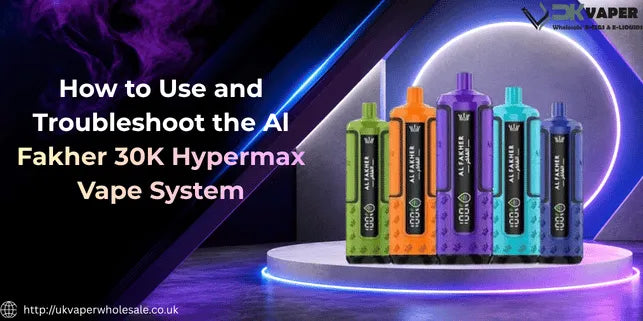
How to Use and Troubleshoot the Al Fakher 30K Hypermax Vape System
To use the Al Fakher 30K Hypermax, charge it fully via USB-C, click a prefilled pod into place until it locks, wait two to three minutes for the coil to prime, then draw gently , there's no fire button, it activates on the inhale.
Quick Start & Troubleshooting Tips
-
Unlocking the Child Lock: The device ships locked for safety
-
To turn this lock off and start vaping, simply take five short, quick puffs in rapid succession
-
Activating Fresh Pods: Please note that unlocking the device with five puffs is completely separate from the five-puff sequence required to register and activate a newly fitted pod
-
Solving Quick Faults: If you experience no vapour, a burnt taste, or a flashing LED, it usually means the pod is not seated properly, the coil needs priming, or the battery needs charging
First-Time Setup: How to Use the Al Fakher 30K Hypermax
Getting the Hypermax ready to vape takes about ten minutes from box to first puff, most of which is charging and priming rather than active setup.
|
Step |
Action |
Easy Instructions |
|
1 |
Remove Seals |
Unbox the device and pull off all plastic packaging, including the protective seals on the mouthpiece and airflow vents. |
|
2 |
Assemble & Click |
Connect the 10ml refill container to the 2ml pod on a flat surface, then push the pod straight down into the device slot until you hear a clear "click". |
|
3 |
Charge Up |
Plug the device into a USB-C cable and charge it fully (takes about 45 minutes) before your first vape. |
|
4 |
Wait to Prime |
Leave the device sitting completely upright for 2 to 3 minutes before taking any puffs. |
|
5 |
Unlock Child Lock |
The device is locked by default. To unlock it, take five short, quick puffs in rapid succession. |
How to Activate the Child Lock (5 Quick Puffs)
The Hypermax ships with its child lock switched on by default, which is a safety feature rather than a fault.
Why the device won't fire (child lock explained)
If the Al Fakher 30000 Hypermax doesn't produce vapour straight out of the box, the child lock is almost always why , it's active from the factory so the device can't be triggered accidentally in transit or by a child picking it up.
This isn't something you can turn off in advance; it's unlocked through a specific puff sequence the first time you use it.
How to unlock: 5 quick puffs in succession
To unlock it, take five short, quick puffs in a row without trying to draw actual vapour , you're triggering a sensor pattern, not vaping normally. The LED will confirm the device is ready once the sequence completes, and from that point it fires normally on a standard draw.
How to lock it again for safety
Repeating the same five-puff pattern re-engages the lock, which is worth doing any time the device is going to be around children or pets, or simply sitting in a bag where accidental draws are possible.
There's no separate button or switch involved , it's the same puff sequence toggling the lock on and off.
How to Replace Pods and Refill Tanks
Pod replacement on the Hypermax is designed to be quick, but each pod can only be swapped in once before it needs full replacing rather than refilling again.
When to replace: LED shows 0% or flavour drops
Replace the pod when the LED display drops to 0%, when flavour noticeably fades, or when dry, harsh hits keep coming back even after you've slowed your draw. The LED flashing repeatedly is the device's clearest signal that a pod's reached the end of its life.
How to remove old pod (pull straight up)
Pull the spent pod straight up and out of its slot , there's no twisting or unlocking mechanism needed, since the click-fit design releases with a firm, even pull. Dispose of the old pod responsibly rather than in general waste, in line with UK battery and e-waste rules.
How to insert new pod (click until secure)
Fit the new pod into the same slot and press down until it clicks, exactly as you did during first-time setup. If you're running the dual-pod version, make sure you're replacing the correct side , left or right , rather than the one that's still got liquid left.
How to activate new pod (5 puffs in 5 seconds)
New pods need activating before they'll fire properly: take five quick puffs within about five seconds of fitting it, which primes the coil and confirms the connection to the device. Skipping this step is a common reason a freshly fitted pod seems dead when it isn't.
Common Problems & Quick Fixes
Most Hypermax faults have a simple physical cause rather than a genuine hardware fault, and they're usually fixed in under a minute.
Device won't fire: Check child lock and pod seating
Start with the two most likely causes: confirm the child lock isn't active by running the five-puff unlock sequence, then check the pod is fully clicked into place. Between the two, this resolves the large majority of "device won't fire" cases.
No vapour: Clean connection pins and airflow
If the device fires but produces no vapour, remove the pod and gently wipe the connection pins with a dry cotton bud, then check the airflow slider isn't fully closed. A dirty contact point breaks the circuit between pod and battery even when the pod itself is fine.
Burnt taste: Give the coil its full priming time
A burnt taste almost always means the coil fired before it had liquid to soak in , see Step 5 in the setup section above for the full priming routine.
If you've already waited it out and the taste is still off, the pod itself is likely faulty and needs replacing rather than re-priming.
Leaking pod: Check seals and don't overfill
Leaks usually come down to a pod that wasn't seated squarely, a refill tank filled past its line, or a cracked seal from being carried loosely in a bag.
Check the seal is intact and reseat the pod firmly; if liquid's still escaping, the pod needs replacing rather than refilling again.
LED shows a repeated flash: Charge battery or reseat pod
A repeated LED flash pattern typically means either the battery needs charging or the device has detected a poor pod connection.
Reseat the pod first, since that resolves it more often than not, and put the device on charge if the flashing continues afterwards.
How to Adjust Airflow for Your Draw Style
The Hypermax includes an adjustable airflow slider, so you're not locked into one draw style.
Airflow slider: Open for DTL, closed for MTL
Slide the airflow control open for a looser, direct-to-lung draw closer to a hookah-style pull, or closed down for a tighter, cigarette-style mouth-to-lung draw. There's no single correct setting , it's entirely down to which style you're used to.
How to find your perfect draw resistance
Start in the middle of the slider's range and adjust one small step at a time, taking a couple of puffs after each change before deciding. Small adjustments make a bigger difference than they seem like they should, so avoid jumping straight to fully open or fully closed.
Why airflow affects flavour and vapour
A tighter airflow concentrates flavour and suits lower-intensity sessions, while a more open airflow produces bigger vapour clouds but can dilute flavour slightly. If you're switching from a disposable vape with a fixed draw, start tighter and open it up gradually rather than the other way round.
How to Charge and Maintain the 850mAh Battery
Keeping the battery healthy is mostly about charging habits rather than anything technical.
USB-C charging: How long it takes (around 45 minutes)
A full charge from empty takes roughly 45 minutes on USB-C, and the 850mAh battery typically delivers somewhere in the region of 8 to 12 hours of moderate use per charge. Charging little and often rather than always running it flat is better for the battery's long-term health.
LED battery indicator: What the percentages mean
The LED display shows an approximate battery percentage alongside the remaining e-liquid level, giving you a real-time read on both without needing to guess. Treat the figure as a rough guide rather than an exact reading, as with most compact vape batteries.
Battery care tips: Don't overcharge, keep cool
Avoid leaving the device on charge long after it's finished, keep it off soft furnishings like beds or sofas while charging, and don't expose it to direct heat or leave it in a hot car.
These are standard lithium battery precautions, and they matter more on a device you'll be charging repeatedly over its lifespan.
When to Replace the Pod vs. the Whole Device
Pods and the device itself wear out on different timelines, so it helps to know which one's actually causing a problem. If you're stocking up rather than replacing one at a time, the 30,000-puff pod kit range covers the rest of the tier if you're weighing up alternatives.
Note: if your device isn't firing right now, run the five-puff unlock sequence first, then pull the pod and reseat it until it clicks , that combination clears the majority of Hypermax issues before you need to look at anything else.
FAQs: What Users Actually Ask
Why does my device blink but not produce vapour?
A blinking LED with no vapour usually means a pod connection issue, not an empty pod.
Fix:
-
Remove the pod.
-
Clean the contact pins (dry cloth).
-
Reseat firmly until it clicks.
If blinking continues → Check battery charge next.
How do I know if the pod is empty?
The LED display drops to 0% and flashes, plus:
-
flavour visibly fades.
-
Vapour production drops off.
Action: Replace the pod, don't keep vaping on empty.
Can I use third-party pods in the 30K Hypermax?
No. The Hypermax's pod slot is built specifically for genuine Al Fakher Hypermax pods.
Why:
-
Third-party pods won't seat correctly.
-
Unreliable electrical connection.
-
Can affect TPD compliance.
Stick to: Genuine Al Fakher pods only.
Is the Al Fakher 30K Hypermax TPD-compliant in the UK?
Yes.
How:
-
2ml sealed pod chamber.
-
Separate 10ml refill containers.
-
Nicotine strength capped at 20mg/ml (UK legal max).
Result: Fully TPD-compliant for UK sale.
-
Posted in
al fakher 30k hypermax