
Pyne Pod Click 50K Boost Mode and OLED Display Guide
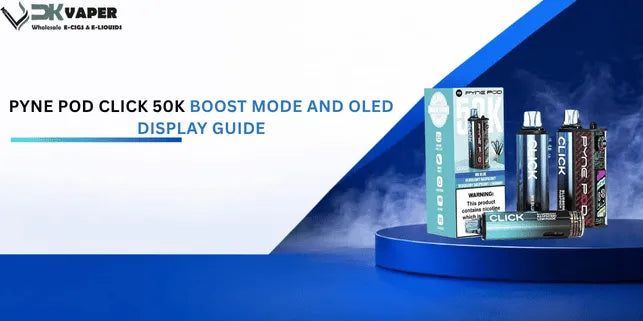
The Pyne Pod Click 50K Boost Mode and OLED display work together to give you full control over your vape. Boost Mode boosts the power from 10W to 20W for a warmer, denser vape, while the OLED screen shows your battery level, active power mode and puff count in real time.
This guide explains how to activate Boost Mode, read the OLED screen, and choose the right mode for your day.
What Is Pyne Pod Click 50K Boost Mode and OLED Display?
The Pyne Pod Click 50K is a dual-power-mode, big-puff vape kit with a 50,000-puff capacity in Regular Mode and up to 30,000 puffs in Boost Mode. It is a prefilled pod system, built for mouth-to-lung draw and designed as a longer-lasting disposable alternative.
Every kit runs on a 750mAh built-in battery, charged through a USB-C port, and switches between two clearly labelled power settings. If you are new to the Click range or want to know how the pod side of things works, our Pyne Pod Click pod compatibility guide covers which pods fit which device across the whole Click range, including this 50K.
Regular Mode: 10W Output and Up to 50,000 Puffs
Regular Mode is the default setting. It runs at a 10W regular output, which stretches the e-liquid and battery further.
This is the setting most people leave the device on for everyday use, as it is what gets you closer to the full 50,000 puff figure.
Boost Mode: 20W Output and Up to 30,000 Puffs
Boost Mode doubles the power to a 20W boost output. This gives a warmer draw, thicker vapour and a more noticeable throat hit.
The trade-off is puff count. Because the coil is working harder, the device gets through e-liquid and battery faster, bringing the total down to around 30,000 puffs.
Regular vs Boost Mode: Quick Comparison Table
Feature |
Regular Mode |
Boost Mode |
Power output |
10W |
20W |
Approx. puff count |
50,000 |
30,000 |
Draw style |
Mouth-to-lung |
Slightly looser, warmer draw |
Battery use |
Lower |
Higher |
E-liquid consumption |
Slower |
Faster |
OLED indicator |
R |
B |
How to Activate and Switch Between Modes
You switch power settings by double-pressing the button on the device, and the OLED screen confirms which mode is active. This is the core of any Pyne Pod Click 50K regular vs boost mode decision, it takes seconds either way.
Turning On Boost Mode (Double-Press the Power Button)
To turn on Boost Mode, double-press the power button on the Pyne Pod Click 50K. The device registers the input as a mode-switching command and moves from Regular to Boost.
You will feel a slightly warmer, stronger draw straight away, and the change is confirmed on the display.
Returning to Regular Mode
Double-press the button again to return to Regular Mode. There is no separate button or menu, it is a simple power mode toggle between the two settings.
Confirming Your Active Mode on the OLED Screen
Always check the OLED display after switching. It shows a letter next to the battery icon confirming your current setting, so you are never guessing which mode you are in.
What the OLED Display Shows
The OLED screen shows three things at a glance: battery level, active power mode, and an approximate puff count. It is the main reason this kit feels more predictable than a standard disposable vape.
Battery Level Indicator
The battery level indicator shows your remaining charge, so you know exactly when it is time to plug in the USB-C cable rather than guessing from a flashing light.
Active Power Mode Indicator (R vs B)
Next to the battery level, the screen displays either R for Regular or B for Boost. This is the quickest way to confirm your setting without testing the draw.
Reading the Screen at a Glance
Screen element |
What it tells you |
Battery level |
Remaining charge |
R / B letter |
Active power mode |
Puff counter |
Approximate puffs used so far |
How Boost Mode Changes Performance
Boost Mode changes three things: puff count, battery life and how quickly you get through e-liquid. Understanding this helps you decide when the extra power is worth it.
Factor |
Regular Mode |
Boost Mode |
Puff count |
Up to 50,000 |
Up to 30,000 |
Charging frequency |
Less frequent |
More frequent |
E-liquid consumption rate |
Standard |
Faster |
Vapour density |
Lighter |
Denser |
Puff Count: Why It Drops from 50K to 30K
The drop from 50,000 to 30,000 puffs happens because Boost Mode pulls more power per puff. More power means more e-liquid vaporised each time, so the total runs out sooner.
Battery Life and Charging Frequency
Because Boost Mode draws double the wattage, the 750mAh battery empties faster. If you use Boost Mode regularly, expect to charge more often than someone using Regular Mode all day.
E-Liquid Consumption Rate
The e-liquid consumption rate in Boost Mode is noticeably higher. This is the main reason puff estimates fall when the mode is switched on.
Flavour Intensity and Vapour Density
Boost Mode increases vapour density and makes the flavour more intense. If you have found Regular Mode a little flat, this is usually the fix.
Getting the Most Value: Mixing Modes in Real Use
Most people do not run one mode all day, they switch depending on the moment, and understanding roughly how that plays out helps you plan around a full kit.
What a Mixed Day Actually Looks Like
If you spend most of the day on Regular Mode and switch to Boost for a handful of sessions, for example after meals or when you want a stronger hit, your realistic puff total sits somewhere between the two headline figures rather than at either extreme. Someone using Boost for roughly a quarter of their puffs typically lands closer to 42,000 to 45,000 total rather than the full 50,000, since the heavier Boost puffs use disproportionately more liquid per puff.
Why This Matters for Restocking
If you know you lean on Boost Mode often, budget for restocking sooner than the 50,000-puff headline figure suggests. Keeping a spare box of replacement pods on hand avoids running out mid-week if your usage pattern skews toward Boost.
Comparing Against Other 50,000-Puff Kits
Not every 50K kit on the market offers a dual power mode, most run a single fixed output. If adjustable power matters to you, that is the Click 50K's real point of difference over a flat-output alternative. Browse the wider 50,000-puff pod kit range to see how it stacks up against fixed-output alternatives at the same capacity.
When to Use Each Mode
Use Regular Mode for all-day vaping and Boost Mode when you want a stronger hit. Neither setting is better, they suit different moments.
Best Times for Regular Mode
Throughout a normal working day
When you want the pod and battery to last longer
For a smoother, more consistent mouth-to-lung draw
Best Times for Boost Mode
When you fancy a stronger throat hit
After a meal, when flavour can taste muted
If you want a stronger, warmer hit than standard MTL
Is Boost Mode Suitable for Everyday Use?
Boost Mode is fine to use daily, but running it constantly will reduce your puff count and mean more frequent charging. Most vapers switch between the two rather than sticking to one all day.
OLED Display and Boost Mode Troubleshooting
Most Boost Mode and OLED issues come down to a low battery, a firm press needed on the button, or a pod that is not seated properly.
Boost Mode Not Activating
If double-pressing does not switch the mode, check the battery is not critically low, and make sure the pod is fully seated. A loose pod connection can stop mode switching from registering.
Display Not Showing the Correct Mode
If the OLED screen seems stuck on the wrong letter, try switching modes again with a firm double-press. A brief pause between presses often resolves this.
Battery Draining Faster Than Expected
This is usually a sign the device has been left on Boost Mode. Switch back to Regular Mode and check the battery level on the display to confirm.
Quick Tips for Using Boost Mode and the OLED Display
Tip |
Why it helps |
Check the OLED screen before vaping |
Confirms mode and battery level |
Use Regular Mode as your default |
Preserves puff count and e-liquid |
Switch to Boost Mode for occasional use |
Keeps flavour intense without draining the kit fast |
Charge via USB-C before it hits empty |
Avoids interrupted sessions |
Keep pods seated firmly |
Prevents mode-switching issues |
Ready to try it? You can pick up the Pyne Pod Click 50K prefilled pod vape kit from UK Vaper Wholesale.
Once your pods run low, restock with Pyne Pod Click 50K replacement pods rather than replacing the whole device.
Pyne Pod Click 50K Boost Mode FAQs
How do I turn on Boost Mode?
Double-press the power button on the device. The OLED screen will switch from R to B to confirm.
How many watts is Boost Mode?
Boost Mode runs at 20W, compared with 10W in Regular Mode.
Does Boost Mode reduce the puff count?
Yes. Puff count drops from around 50,000 in Regular Mode to around 30,000 in Boost Mode.
Does Boost Mode use more battery and e-liquid?
Yes, both drain faster in Boost Mode because of the higher power output.
What does the OLED screen show?
Battery level, the active power mode (R or B), and an approximate puff count.
How do I know which mode is active?
Look at the letter next to the battery icon on the OLED display, R for Regular or B for Boost.
Can I switch between modes while vaping?
Yes, you can switch at any time by double-pressing the power button between puffs.
If I use Boost Mode often, how much sooner will I need to restock?
It depends on the split, but someone using Boost for roughly a quarter of their puffs should expect a realistic total closer to 42,000 to 45,000 rather than the full 50,000, so budget for restocking a little earlier.
-
Posted in
Pyne Pod Click 50K
